
KMS aliases are a great way to make KMS keys more convenient. But permitting one account to use an KMS key in another account through a KMS alias can be difficult. This article explains why, and how to solve the problem correctly.
Let’s start with the example shown in the diagram above. Account B has an S3 bucket. Its bucket policy states that objects in the bucket must be encrypted with a given KMS key. Account A has a Lambda function that needs to write to the S3 bucket in Account B. It knows the bucket name (my-example-bucket) and the KMS alias (my-example-kms-key-alias).
You might expect that the Lambda function’s IAM policy would look like this:
{
  "Version": "2012-10-17",
  "Statement": [
    {
      "Action": [
        "s3:PutObject*"
      ],
      "Resource": [
        "arn:aws:s3:::my-example-bucket",
        "arn:aws:s3:::my-example-bucket/*"
      ],
      "Effect": "Allow"
    },
    {
      "Action": [
        "kms:Decrypt",
        "kms:GenerateDataKey"
      ],
      "Resource": "arn:aws:kms:<region>:<account-b-id>:alias/my-example-kms-key-alias"
      "Effect": "Allow"
    }
  ]
}
(Note the alias in the KMS resource.) Attempting to call the s3:PutObject API with this policy will result in the following error:
An error occurred (AccessDenied) when calling the PutObject operation: User: arn:aws:sts::<account-a-id>:assumed-role/<lambda-role>/<function-name> is not authorized to perform: kms:GenerateDataKey on this resource because no identity-based policy allows the kms:GenerateDataKey actionThe reason is documented in the AWS KMS documentation (Specifying KMS keys in IAM policy statements):
To specify a KMS key in an IAM policy statement, you must use its key ARN. You cannot use a key id, alias name, or alias ARN to identify a KMS key in an IAM policy statement.
Well, using the KMS alias ARN is exactly what we did, which explains the error. The quote above seems to suggest we can’t use aliases. Luckily, there is a workaround. The documentation continues on to say:
To control access to a KMS key based on its aliases, use the kms:RequestAlias or kms:ResourceAliases condition keys. For details, see ABAC for AWS KMS.
The linked documentation pages contain an example, which we can convert for the IAM policy in our use case:
{
  "Action": [
    "kms:Decrypt",
    "kms:GenerateDataKey"
  ],
  "Resource": "arn:aws:kms:<region>:<account-b-id>:key/*",
  "Effect": "Allow",
  "Condition": {
    "StringEquals": {
      "kms:RequestAlias": "alias/my-example-kms-key-alias"
    }
  }
}
🎉 Problem solved! So why does this policy work, while the previous one didn’t? The difference lies in the Resource. The previous IAM policy pointed to the KMS alias, which isn’t allowed. The new IAM Policy points to “every KMS key in the other account”, but the Condition states “only when using the given alias”. The result is what we were aiming for: we got access to the KMS key through its alias.
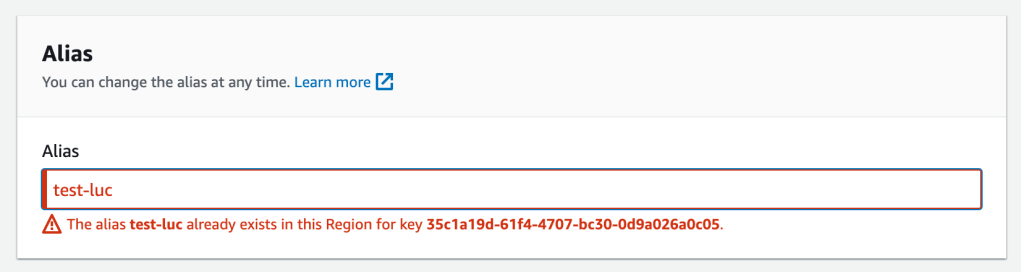
It might seem that this IAM policy could grant access to more KMS keys than intended, but because KMS aliases must be unique within an account-region, it’s safe. You only need to be careful when using wildcards.
Conclusion
Many non-trivial applications on AWS use multiple accounts. The same non-trivial applications often use KMS Customer-Managed Keys (CMKs). KMS aliases are a convenient way to handle KMS keys, but unfortunately aliases cannot be used as drop-in replacements for KMS keys in IAM policies. Instead you need to use the kms:RequestAlias or kms:ResourceAliases condition keys.
 Luc van Donkersgoed's Notes